 Parvanda
Free OPD software for small clinics
Works offline on your phone or computer. No sign-up, no demo call, no yearly fee.
Installed. Open it from your home screen.
What it does
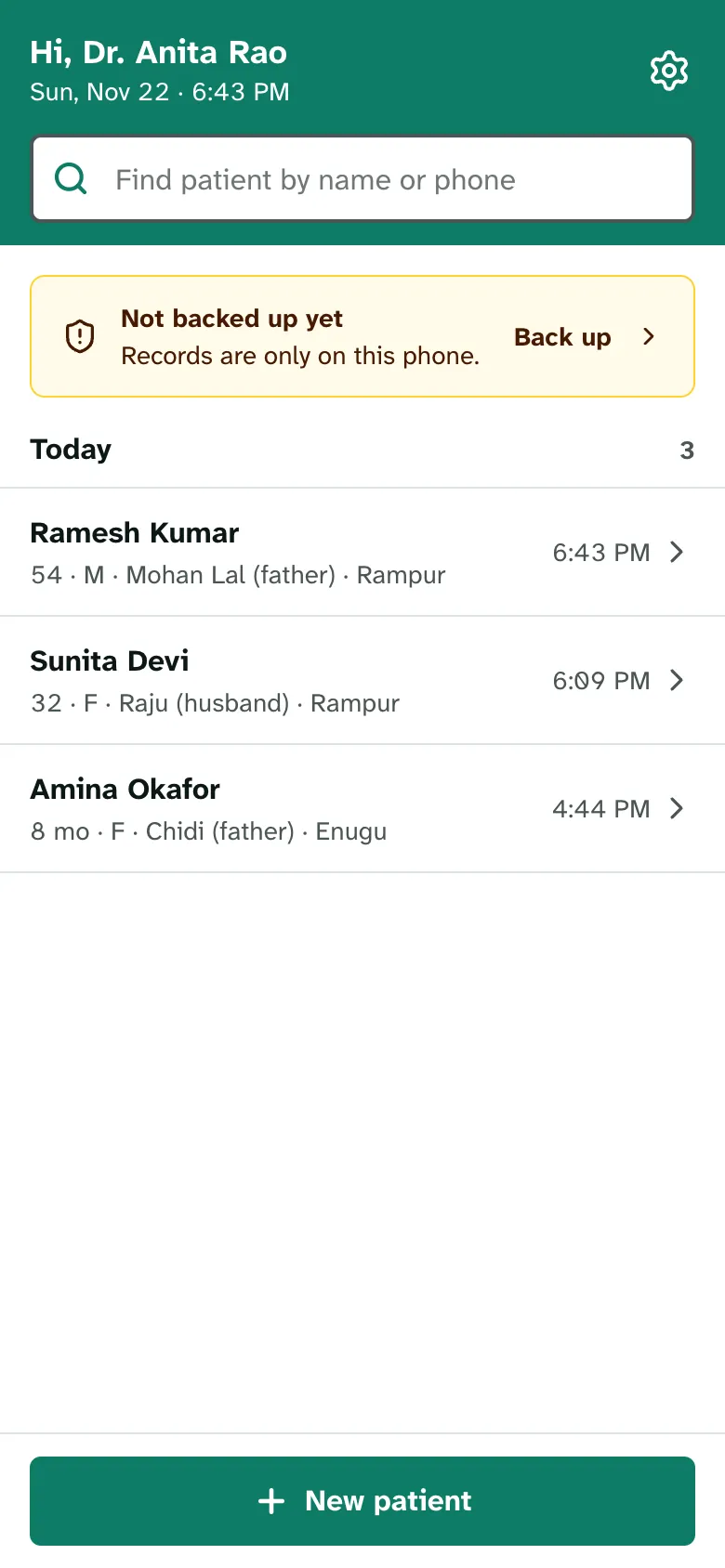
Find any patient
Search by name or phone. Today's patients are always on top.
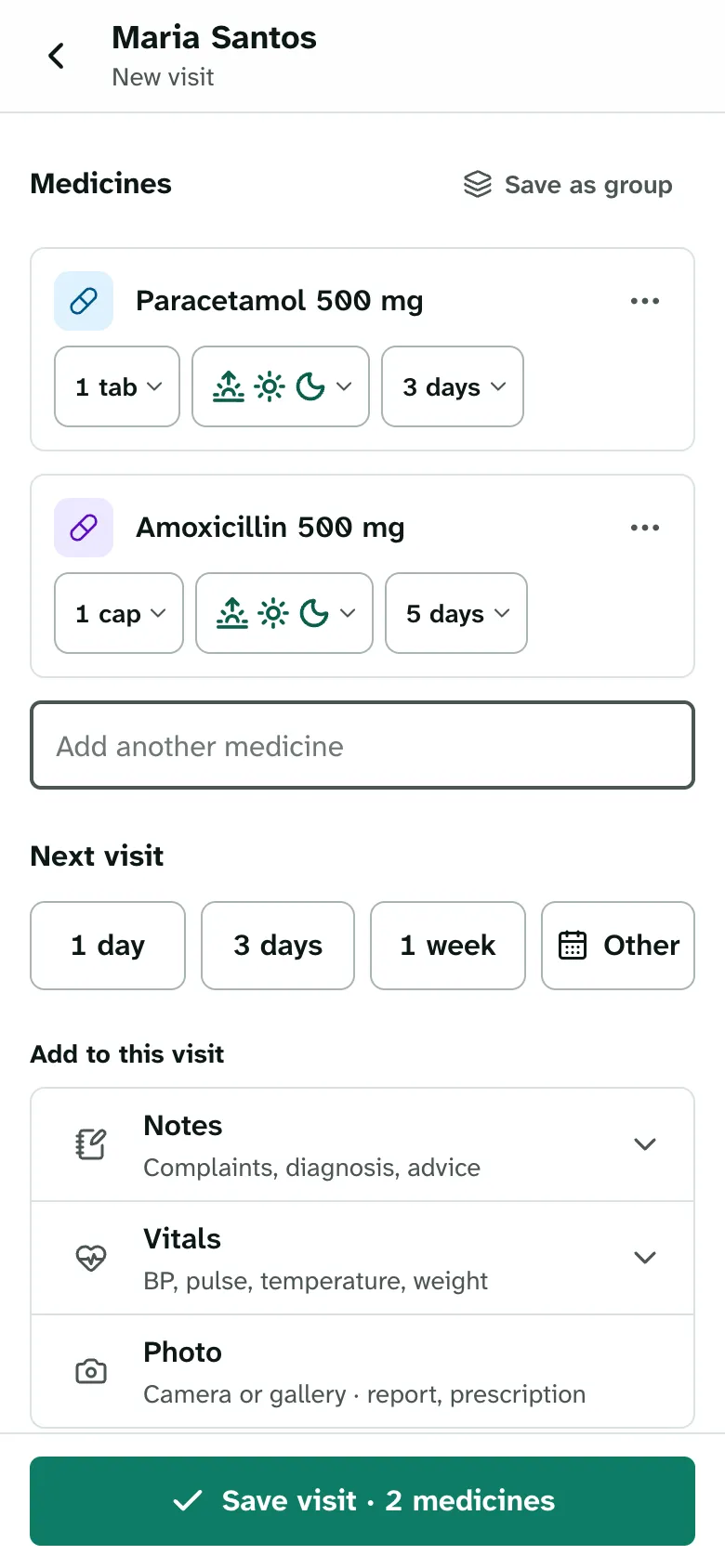
Write a visit
Medicines, vitals and notes on one screen. Your usual medicines come first.
Print or share the prescription
Print it, or send it to the patient on WhatsApp.
Keep old paper records
Photograph old records and keep them with the patient.
Back up to one file
Save it to WhatsApp, Google Drive or email. Restore it on any device.
Parvanda vs typical OPD software
| Typical OPD software | Parvanda | |
|---|---|---|
| Price | Yearly fee | Free |
| Sign-up or demo | Needed | None |
| Internet | Needed | Works offline |
| Where data is kept | Company server | On your phone |
| Setup time | Days | 2 minutes |
Start in 2 minutes
Install or open in browser
On your phone or computer. Nothing to sign up for.
Add your clinic details
Clinic name, doctor and phone, for the prescription header.
Add your first patient
Just a name is enough to start a visit.
Questions
Is it really free?
Yes. There is no sign-up, no subscription and no card.
Does it need internet?
Only to open it the first time. After that, everything works offline.
Can I use it on a computer?
Yes. Open it in Chrome or Edge on your computer and install it, or use it in the browser.
Can my staff use it on another device?
Not yet. For now Parvanda works on one device at a time. To move your records to another device, make a backup file and restore it there.
How do I move from a paper OPD register?
Start with new patients from today. When an old patient visits, add them and take a photo of their paper records; the photo is saved with the patient.
Is my data safe?
Your records are stored on your phone, not on a company server. Make a backup file any time and keep it on WhatsApp, Google Drive or email.